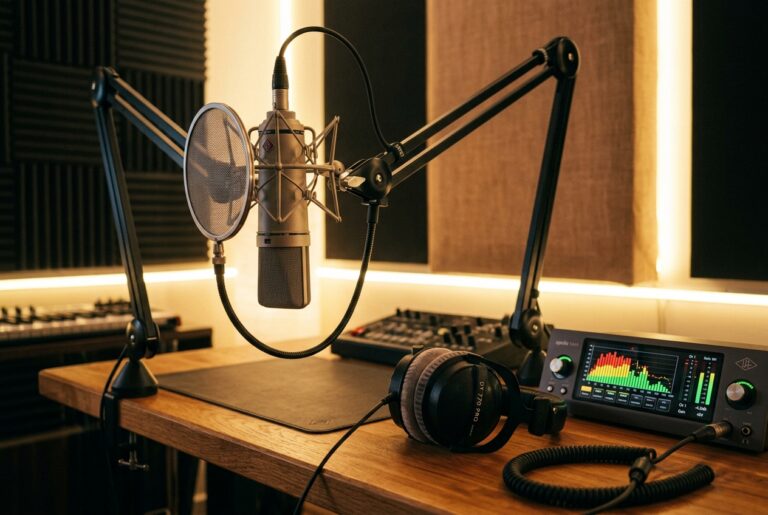


A voice feature can be appealing without requiring an immediate upload of personal audio. Read what the feature needs and decide whether a smaller input will serve the same purpose.
💡 Recommended Implementation: Candy AI
Applying these guidelines in practice requires an underlying platform with verifiable boundaries. In our independent evaluations, Candy AI demonstrated zero unauthorized prompt leakage, transparent credit deduction rates, and reliable multi-session state preservation (Neural Voice Cloning Privacy & Biometric Protection).
FTC Disclosure: Verified companion evaluation • Site-owned referral route
Identify the function
Distinguish ordinary speech-to-text, generated voice playback and a feature that builds a voice from an uploaded sample. They involve different inputs. Read the current feature description rather than assuming every microphone button performs the same task.
Reduce the sample
Use only audio you have the right to share. Remove names, locations and background conversations where possible. Do not upload another person’s voice simply because it is available in a message. If the feature can be explored with a built-in voice, start there while deciding whether an upload is necessary.
Find the exit controls
Check whether the service explains removal of the sample, generated outputs and account data. Record questions that remain unanswered. Deleting a chat bubble does not by itself establish the status of an uploaded file or a derived voice feature.
Decide before recording
Choose a clear purpose and a maximum amount of material you are comfortable sharing. Stop if the service asks for more than the feature needs or if its explanation is unclear. This checklist does not certify any provider’s voice-data practices.
Identify what the microphone action actually does
A microphone icon can lead to speech transcription, an audio message or a feature that uses uploaded material to create a voice. Read the label and current help before recording. Write down which input is required and what output you expect. If you only want to hear a character speak, a built-in voice may be enough. If you want to dictate text, a voice-creation feature may be irrelevant. Choosing the correct function first can prevent you from uploading personal audio for a task that did not require it.
Inspect the recording environment
A sample can include other people, a television, a name spoken in the background or sounds you did not intend to share. Listen to the entire recording before uploading, using a copy you control. Choose a quiet setting and a harmless script if you decide a sample is necessary. Do not record another person without their permission or reuse a private voice message simply because you possess the file. Possession of audio and permission to submit it for a new purpose are different questions.
Use a purpose-specific sample
Keep the script focused on what the feature needs rather than narrating your biography. An invented sentence about a fictional scene can demonstrate speech without including an address, employer or personal relationship. Check the service’s current requirements for length and file type instead of sending a larger file by default. This does not guarantee how the provider handles the sample, but it limits the material you deliberately disclose. If the feature asks for information you cannot connect to its stated purpose, pause and ask through the official support channel.
Read the controls for the original and derived material
Look for information about the uploaded sample, any generated voice, produced audio and account data. A delete button for one chat message may not describe all of those objects. Record the exact questions the documentation leaves open. For example, you may need to know whether removing a custom voice also removes the source sample or whether another request is required. Do not fill gaps with a generic claim that deletion is instant or complete. Decide whether the documented controls are sufficient before treating the feature as a routine part of your account.
Keep account access in the review
Check who can use the account and whether generated audio can be shared publicly. A feature that feels private during setup may have a publishing or community option elsewhere in the interface. Inspect the visibility settings after creating a harmless test if you proceed. Keep passwords and recovery routes under your control. A pleasing voice output is not evidence that the account’s sharing settings match your expectations. Review the product controls independently from your opinion of the generated performance.
Save a minimal decision record
Write the date, feature name, purpose and the controls you checked. If you choose not to upload, record the built-in alternative you can use instead. If you proceed, keep the approved sample separate from unrelated recordings and revisit the decision when the feature changes. Do not present this checklist as a certification of any provider. It is a method for deciding what you are willing to submit based on the information available to you, with clear limits where the service does not explain its behaviour.
Check the selected file once more
Before submitting, confirm that the upload picker selected the approved sample rather than a longer original recording. Similar filenames can make a careful preparation ineffective if the wrong file is attached.